
Registration and Verification at Scizino Casino
Opening an account at Scizino Casino follows a streamlined, quick-start approach. Users do not need to spend time completing lengthy registration forms, entering passport details or verifying their home address at this initial stage. Access to the full range of services—the gaming lobby, sportsbook, promotions and cashier—becomes available in just a few dozen seconds.
At the same time, the operator strictly follows international gambling regulations and responsible gaming principles. Only adults aged 18 or over (or the applicable legal gambling age in their jurisdiction) may create a profile.
One fundamental security rule applies: one person, one account. Creating duplicate profiles (multi-accounting) from the same IP address, device or for the same individual is strictly prohibited. If linked profiles are detected, the security team reserves the right to block all associated accounts and void any rewards and winnings.
Available Account Registration Methods
To make joining easier, the operator provides two alternative registration methods:
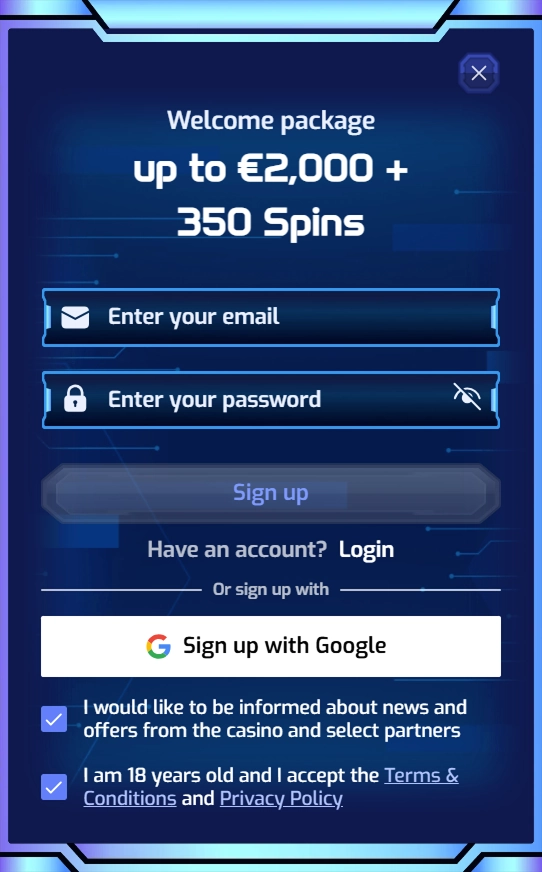
- Standard email registration: a straightforward option requiring a valid email address and a secure password chosen by the user.
- Instant Google sign-in: a one-click social login that automatically links the profile to a Google account, removing the need to enter registration details manually.
The registration form does not ask for a phone number or postal code. There is also no need to enter a promotional code at this stage: all such codes are activated in the cashier when making a qualifying payment.
Step-by-Step Account Registration Guide
Registering with Scizino Casino is intuitive and involves the following steps:
- Visit the official website, 22scizino84.com, from a computer or mobile device.
- Click the prominent “Sign Up” button in the upper-right corner of the homepage.
- In the compact window that opens, choose your preferred option:
- If using the form: enter a valid email address and create a strong password containing uppercase and lowercase letters, numbers and special characters.
- If using Google: click the service icon and approve the connection in the system pop-up window.
- Read the Terms and Conditions and Privacy Policy, then tick the appropriate box to confirm your agreement and that you are at least 18 years old.
- Click the confirmation button to complete registration.
- Open the inbox associated with your registration, find the service email from Scizino Casino and follow its activation link.
Important: until you follow the email activation link, you cannot add funds to your gaming balance or take part in promotions.
Choosing the Account’s Base Currency
When adding funds for the first time, users are asked to confirm their account’s base currency. The default for the vast majority of European markets is the euro (EUR).
Please note that this choice is final: the system permanently assigns the selected currency to the profile. It cannot be changed in account settings after the first financial transaction. Payments made in other national currencies or cryptocurrencies are converted against the account’s fixed EUR base.
Signing In and Recovering Lost Access
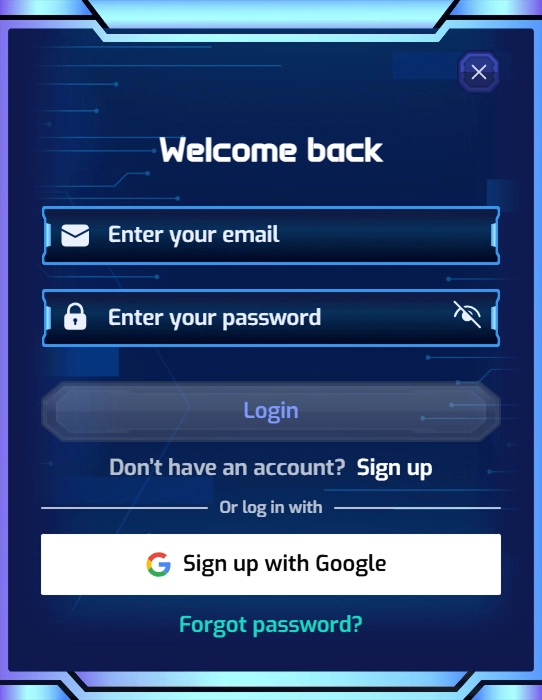
To sign in later, click “Log In” in the website’s top navigation bar. Enter your email address and password, or use the Google icon for one-click access.
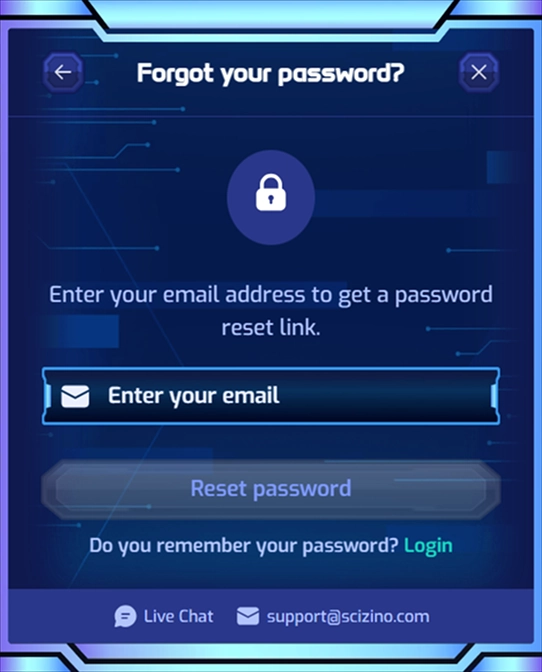
If you lose or forget your password, you can restore access using the built-in reset process:
- Click “Forgot Password?” in the sign-in window.
- Enter the email address linked to your account.
- Follow the secure password-reset link sent to your inbox and create a new password.
For security reasons, the operator does not offer alternative recovery channels such as SMS or security questions. Maintaining access to your registered email address is therefore essential.
Mandatory Identity Verification (KYC) Requirements
Customer identification (KYC—Know Your Customer) is a core requirement of European regulators and an essential element of fraud-prevention policy. At Scizino Casino, verification is not required for initial payments or slot sessions, but it is mandatory before the first withdrawal.
Until the finance department has reviewed and approved the user’s documents, withdrawal requests remain unavailable.
Documents Required for Successful Verification:
- Proof of identity (Identity Proof):
- A colour photograph of the identification page of an international passport, both sides of a national ID card, or a driving licence.
- The document must be valid, and the photograph must be clear, free of flash glare and show all four corners.
- Proof of residential address (Address Proof):
- An official utility bill (electricity, water or gas) or an official stamped bank statement.
- The document must show the user’s full name, current home address and an issue date no more than 90 days (three months) before submission.
- Proof of payment method (Payment Proof):
- For bank cards: a photograph of the front showing the cardholder’s name and the first six and last four digits of the number. The middle digits and the CVV security code on the reverse must be securely concealed.
- For electronic or cryptocurrency wallets: a screenshot of the payment-service profile confirming that the address or account belongs to the registered user.
Documents are uploaded through a dedicated secure area in account settings. The standard review period is 12–48 hours on business days.
Responsible Gaming and Self-Control Tools
Scizino Casino follows internationally recognised principles of responsible gambling. Every account includes practical tools designed to help users maintain control over their activity:
- Payment limits: set daily, weekly or monthly caps on the amount added to the account.
- Wager and loss limits: specify a maximum amount per wager and a maximum net loss for a given period.
- Time-Out: voluntarily suspend account access for anywhere from 24 hours to several weeks to take a break.
- Self-Exclusion: block access for a fixed period of three months to five years, or indefinitely. Self-exclusion can be activated through the account dashboard or by contacting the 24/7 support team. A self-exclusion request cannot be withdrawn before the selected period ends.
For confidential outside psychological support, users are directed to recognised specialist organisations: BeGambleAware (including its screening test for signs of gambling harm), GamCare and Gambling Therapy.
To protect underage family members from accidental access to gambling content on shared devices, parental-control software such as CyberPatrol, GamBlock, Solid Oak Software and Net Nanny is recommended.
Conclusion
Registration at Scizino Casino is designed for convenience: a one-step form and Google sign-in save time from the outset. Meanwhile, rigorous KYC checks and a comprehensive range of responsible gaming tools help protect personal information and funds held in the account.